Survey Data Workflows, Crosstabs and Analysis with MRDCL Hub
A guide explaining why, how and when to use MRDCL
MRDCL Hub is designed for research teams that need more than standard survey tables.
It helps organisations manage demanding survey workflows from incoming data through to variables, crosstabs, analysis and the next stages of reporting or delivery.
At the centre of MRDCL Hub is the MRDCL analytical engine – a powerful and flexible scripting environment developed for complex market research analysis. Hub builds around that engine, adding workflow tools, reusable processes, dashboards, Resolve, Script Bubbles and AI-assisted development.
The result is a system that can support experienced MRDCL specialists, broader research teams with different levels of technical experience, client-facing reporting workflows and organisations that need survey analysis to connect with other platforms.
As research requirements become more varied, faster-moving and more client-specific, MRDCL Hub helps teams stay in control without limiting what they can analyse, produce or deliver.

High-End Analytical Power, Made Easier to Use
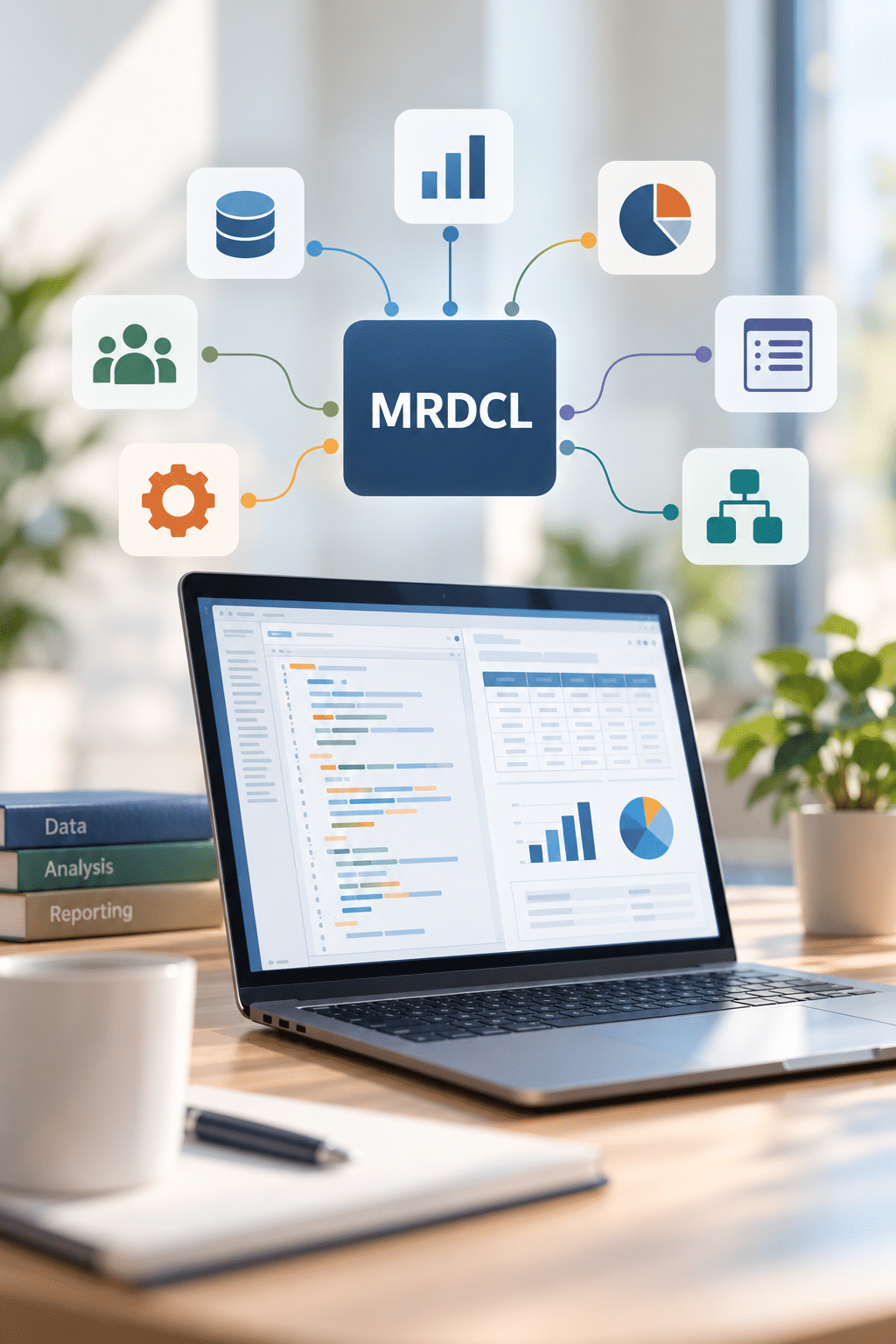
MRDCL is designed for research teams that need to produce tables and analysis that standard survey platforms struggle to define, automate or repeat.
Its scripting engine gives experienced users detailed control over how data is prepared, variables are defined, tables are built, weighting is applied and outputs are produced. If a table can be logically defined from the survey data, MRDCL will usually provide a way to build it.
MRDCL Hub does not dilute that power. It builds around it.
Hub adds reusable processes, Resolve, Script Bubbles and AI-assisted support so that MRDCL’s analytical depth can be used more efficiently across teams, projects and output routes.
MRDCL Hub is designed from the high end of survey analysis downwards. It has the depth required for demanding, unusual or highly specific projects, but Hub makes that capability more accessible for everyday workflows, recurring work and teams with different levels of technical experience.
Many projects may only use part of what MRDCL can do. The value is knowing that, when requirements become more complex, the same environment can usually take you further without needing to move to another system.
The importance of this flexibility is explored further in our article, Why Modern Market Research Needs a Data Hub (Not Another Platform), which looks at why research teams increasingly need connected workflows rather than another all-in-one system.
What MRDCL Hub Is Used For
MRDCL Hub can support many stages of a survey data workflow. Some teams use it for the whole process, while others use it for specific stages such as data preparation, crosstabs, dashboards or outputs for another system.
Different projects need different routes. Some may only require complex crosstabs and an export file; others may use Resolve, dashboards, integration or AI-assisted support.
Typical uses include:
MRDCL Hub also provides a free route for smaller projects to be prepared from formats such as SPSS, TSAPI and Triple-S and made available in Resolve. This allows users to move from existing survey data formats into shared exploration without needing to commit immediately to the full MRDCL Hub environment.
When MRDCL Hub Is a Good Fit
MRDCL Hub is particularly useful where survey analysis involves complexity, repetition, changing requirements or client-specific outputs.
It is often a good fit for teams working with:
MRDCL Hub is not intended only for long-standing scripting experts. It is designed to help organisations make better use of MRDCL’s analytical power across broader research teams.
MRDCL remains a powerful specialist system, and teams will benefit from people who understand survey analysis, data structures, scripting logic or programming concepts. However, Hub, Resolve, dashboards, templates, Script Bubbles and AI-assisted tools make it easier for users to work with MRDCL capability without needing to master every part of the underlying script from the start.
Some users will work directly with MRDCL script. Others may use prepared templates, forms, dashboards or shared exploration tools. Many will grow into the system over time, learning more advanced techniques as their projects require them.
If your organisation only needs occasional simple tables from simple datasets, MRDCL Hub may offer more power than you need. But where survey projects are demanding, repeated, awkward, evolving or expected to feed multiple outputs, MRDCL Hub is designed to provide the flexibility and control required.
Choosing the right combination of research tools is not always straightforward. Our article How many software products SHOULD you use? explores the balance between using a single platform and selecting specialist tools for different tasks.
From Incoming Data to Analysis-Ready Data
Survey data needs to be prepared carefully before it can support reliable analysis, repeatable workflows and useful outputs.
Sometimes that means dealing with messy or inconsistent files. At other times, the data may be clean, but still needs to be structured, labelled and organised so later stages of the project can run smoothly.
Files may come from different platforms, suppliers or fieldwork systems. Structures may change between waves. Code lists may be revised. Multi-response questions may need reshaping. Numeric data, text data, grids, loops, rotations and repeated sections may all need to be handled correctly before meaningful analysis can begin.
MRDCL Hub helps teams prepare incoming survey data so it is ready for crosstabs, analysis, dashboards, Resolve, exports and other outputs.
Real-world survey files rarely arrive in perfect condition. In Real Survey Data Is Messy. Your Software Should Expect That., we look at why software needs to accommodate changing structures, inconsistent data and the practical challenges of research projects.
Intelligent Import
Intelligent Import helps turn supplied survey data into analysis-ready data.
Rather than treating each file as a one-off setup task, MRDCL Hub can apply reusable rules that recognise how the data should be structured, labelled, recoded and prepared for the next stage of the workflow.
This is particularly useful when working with:
The aim is to reduce repetitive setup work, improve consistency and make it easier to deal with changes without starting again each time.
Reusable Setup Rules
In many research projects, the difficult part is not simply reading the data. It is preparing the data for analysis, matching the questionnaire to an existing data file, and building the variables that researchers need to report on the survey.
MRDCL Hub allows teams to create reusable setup rules for common data structures, repeated question types, supplier formats, tracking studies and recurring project requirements.
These rules can help standardise how data is prepared, how variables are created, how labels are applied and how future waves are handled.
This makes it easier to manage projects where the data changes over time, or where similar work needs to be repeated across different studies, countries, clients or waves.
Handling Revised Files and Future Waves
Survey projects often change after the first file is received.
A supplier may send a corrected file. A tracker may add new questions. A wave may include extra codes. A client may request new analysis after the initial setup has already been completed.
MRDCL Hub is designed to support this kind of real-world project management.
By using reusable structures and setup rules, teams can handle revised files and future waves more efficiently, while reducing the risk of inconsistencies creeping into the process.
This is especially valuable for tracking studies, international projects, repeated client programmes and projects where data needs to move through several stages before final delivery.
Preparing Data for Multiple Destinations
Once data has been prepared inside MRDCL Hub, it can support different routes through the project’s path.
The same project may produce crosstabs, dashboards, Resolve databases, Excel outputs, SPSS files, TSAPI outputs, Triple-S files, internal reporting structures or data for another system.
Reliable analysis depends on more than the quality of the original data. Our article What’s more important: data quality or data management? explores why both are essential when research data needs to be processed, analysed and delivered through different routes.
MRDCL Hub can also provide a free route from SPSS, TSAPI and Triple-S into Resolve for smaller projects. This allows users to prepare existing survey data and make it available for shared exploration without needing to commit immediately to the full MRDCL Hub environment.
For teams that need more advanced, repeatable or higher-volume workflows, MRDCL Hub provides a route into broader automation, analysis, dashboards and shared reporting.
Crosstabs, Analysis and the MRDCL Engine
Crosstabs and Analysis
Crosstabs remain one of the central outputs of market research analysis.
They allow research teams to compare answers across different groups, such as age, region, gender, brand usage, customer type, market, wave, segment or any other classification that matters to the project.
MRDCL Hub is built around an analytical engine developed specifically for demanding survey analysis. It can produce straightforward tables quickly, but its real strength is in projects where the analysis does not fit neatly into a standard template.
MRDCL Hub can be used to create:
This makes MRDCL Hub suitable for research teams that need to go beyond basic tabulation and produce analysis that provides valuable insights.
For some projects, the requirement may be a conventional set of crosstabs. For others, the analysis may need to support dashboards, Resolve exploration, client reporting, exports to another system or AI-assisted workflows.
The important point is that the analytical work does not sit in isolation. In MRDCL Hub, crosstabs and analysis form part of a wider workflow from data preparation through to outputs, sharing and future destinations.
The MRDCL Engine: Scripting Where It Matters
MRDCL is powered by a flexible scripting engine.
That scripting engine is one of the reasons MRDCL can handle complex, unusual or highly specific survey analysis requirements. It allows experienced users to define precisely how data should be read, transformed, analysed and reported.
However, MRDCL Hub is not designed to make every user work directly with script.
Some users will continue to work directly in MRDCL script because it gives them speed, control and flexibility. Others may work through prepared workflows, Script Bubbles, dashboards, Resolve databases or AI-assisted tools that make use of the same underlying power without exposing every technical detail.
This is an important part of the MRDCL Hub approach. The scripting engine remains central, but it does not need to be the first thing every user sees.
For experienced users, MRDCL script remains available as a powerful working method. For wider teams, Hub provides ways to package, reuse and share that expertise across projects
Scripting is not necessarily the best choice for every project. In When Scripting Is the Right Tool and When It Isn’t, we explore where scripting offers advantages over graphical interfaces, particularly for complex or repetitive analysis.
Variables, Weighting, Statistics and Advanced Tables
The strength of MRDCL is not only that it can produce tables, but that it can create the analytical structures needed before those tables are produced.
Survey analysis often depends on variables that are not present directly in the original data file. These may include classifications, recodes, scores, groupings, derived measures, combined responses, top-box measures, segment definitions or respondent groups based on several conditions.
MRDCL Hub supports this kind of work by allowing users to create and manage analytical variables as part of the workflow.
Typical requirements may include:
MRDCL also supports demanding weighting and statistical requirements.
Weighting may be needed to correct survey samples, match known populations, balance markets, manage quotas or align waves within a tracking study. MRDCL supports all types of weighting approaches, including target weighting, rim weighting, factor weighting and quantity-based weighting.
Statistical testing can also be applied where appropriate, allowing teams to identify meaningful differences between groups, waves, brands or segments.
Advanced tables may combine several of these elements: derived variables, weighting, statistics, multiple banners, special bases, repeated question structures, customised text and client-specific reporting requirements.
Tracking Studies, Complex Data Structures and Reusable Workflows
Tracking Studies and Complex Data Structures
Many survey projects are not simple one-off studies.
Tracking studies may run for months or years. Questionnaires may change between waves. New codes may be added. Old questions may be removed. Data structures may vary by market, supplier, country, sample source or collection method.
MRDCL Hub is designed to help teams manage this kind of complexity without rebuilding the project from scratch every time something changes.
It can support projects involving:
This is particularly useful where consistency matters across waves, markets or reporting periods.
A tracking study may need to preserve existing reporting structures while allowing for new questions, revised codes, changed bases or additional markets. MRDCL Hub helps teams manage these changes as part of the workflow rather than recoding data or using workarounds to manage practical problems that arise.
Tracking studies can become increasingly difficult to manage as questionnaires, weighting and reporting requirements evolve. Our article Why Tracking Studies Break and How to Stop Them Breaking explores the common causes and explains why repeatable processes are so important.
Reusable Workflows, Templates and Automation
MRDCL Hub is not only about producing individual tables or outputs. It is also about making repeated work easier to manage.
Many research organisations carry out similar tasks again and again: preparing data, generating variables, applying standard banners, creating tables, checking results, producing exports, updating trackers or creating client-specific outputs.
MRDCL Hub allows teams to turn these repeated processes into reusable workflows and templates.
This can help teams:
Automation in MRDCL Hub is not intended to remove the need for judgement. Instead, it helps teams apply judgement more consistently by reducing the amount of repetitive work needed to get from data to useful outputs.
This is especially valuable for tracking studies, regular reporting programmes, multi-country studies, client-specific deliverables and projects where the same analytical approach needs to be repeated reliably.
Moving from individually managed tasks to repeatable processes can make a significant difference as workloads increase. From Craft to System: How Analysis Becomes Scalable looks at how research teams can capture expertise, reduce repeated work and manage growing demands more effectively.
Making Expert Work Easier to Reuse
In many teams, the most complex MRDCL work is handled by a small number of experienced users.
That expertise is valuable, but it can also create pressure when projects need to be updated, repeated, handed over or shared with other members of the team.
MRDCL Hub helps make expert work easier to reuse.
Scripts, templates, setup rules, workflows and project structures can be organised so that complex work becomes easier to repeat and manage. Less experienced users can benefit from established processes without needing to understand every technical decision behind them from day one.
This does not remove the value of expert MRDCL knowledge. It makes that knowledge more useful across the organisation.
Good software development is not simply about introducing more features. In Getting Software Development Right, we explore why removing obstacles, simplifying tasks and improving workflows often provide greater value to users.
Script Bubbles, Resolve, Dashboards and Shared Exploration
Script Bubbles: Making Powerful Processes Easier to Use


Script Bubbles are designed to make complex or time-consuming MRDCL processes easier to run, repeat and share.
They allow experienced users to package MRDCL logic into simple forms. Instead of editing script directly, a user can complete a structured form, choose options, enter values or select settings, and allow MRDCL Hub to generate or apply the underlying instructions.
This means tasks that might otherwise require detailed scripting knowledge, careful copying and editing, or repeated manual work can be turned into guided processes that are easier for others to use.
Script Bubbles are useful for simplifying complex tasks, speeding up laborious work and reducing the risk of errors. They can also help organisations standardise the way common tasks are carried out across colleagues, teams, offices or countries.
For example, a senior user might create a Script Bubble for a recurring type of analysis, a client-specific output, a repeated variable structure or a standard checking process. That Script Bubble can then be shared with colleagues, allowing junior team members or less technical users to carry out useful work within an agreed framework.
Script Bubbles can also be developed or customised as requirements change. This makes them useful not only for large automation projects, but also for everyday improvements where a team wants to make regular tasks faster, safer and more consistent.
Reducing repetitive effort is an important part of improving research efficiency, but speed alone is not the whole story. Our article Faster, Better, Cheaper. If Only. considers how technology and automation can improve productivity without compromising the quality of research.
For experienced MRDCL users, Script Bubbles provide a way to turn specialist knowledge into reusable tools.
For wider research teams, they provide a safer and simpler route into powerful MRDCL processes that would otherwise require direct scripting experience.
Resolve, Dashboards and Shared Data Exploration
MRDCL Hub is not only about producing analysis for expert users. It also helps make survey results available to colleagues, clients and wider teams.
Projects processed in MRDCL Hub can be made available through Resolve, allowing users to explore results, produce tables and charts, and dig deeper into the data without needing to understand how the project was processed in MRDCL.
Resolve is useful where people need access to the results, but not to the full processing environment. A client, account manager, research director or internal stakeholder may want to explore a project, check differences between groups, create additional tables or produce charts without asking a specialist to run every request.
This makes Resolve a practical way to extend the value of an MRDCL project beyond the people who originally processed it.
MRDCL Hub also provides a free route from SPSS, TSAPI and Triple-S into Resolve for smaller projects. This allows existing survey data to be prepared and made available for shared exploration without needing to commit immediately to the full MRDCL Hub environment.
For teams that need more advanced, repeatable or higher-volume use, enhanced Resolve and MRDCL Hub options provide broader automation and analysis capabilities.
Dashboards and Other Client-Facing Outputs
MRDCL Hub can also support dashboard-style and interactive outputs where projects need results to be shared more easily with colleagues and clients.
Dashboards are useful when users need a clearer, more immediate way to review results, monitor key measures or present findings without working directly with tables or script.
They can help teams share:
- headline results
- tracking measures
- key performance indicators
- market or country comparisons
- brand or segment analysis
- client-specific reporting views
Outputs, Future Destinations, MRDCL as an Engine and AI
Outputs, Charts and Future Destinations
MRDCL Hub is designed to help analysis move to wherever it needs to be used.
For some projects, the main output may be a set of crosstabs. For others, results may need to flow into dashboards, Resolve, Excel, SPSS, TSAPI, Triple-S, databases, client reporting systems or other specialist platforms.
This flexibility matters because research outputs are no longer limited to one format.
A single project may need detailed tables for analysts, export files for another system, exploratory tools for clients or structured outputs for reporting.
MRDCL Hub helps teams manage these different routes from a common analytical foundation.
Typical output and destination routes may include:
The aim is not to force every project through the same route. The aim is to give teams the flexibility to choose the route that fits the project.
Different research projects require different tools and outputs, and no single platform will always be the best choice for every task. Why the Smart Platforms Don’t Try to Do Everything explores why integration and flexibility are increasingly important in market research software.
MRDCL Hub as an Analysis Engine
MRDCL Hub can also be used behind other systems, platforms or project-specific workflows.
Some organisations may want to use their own front-end, reporting environment, dashboard, client portal or internal platform while using MRDCL to handle the analytical processing behind the scenes.
Because MRDCL is script-driven at its core, external systems can generate MRDCL instructions, pass them to the MRDCL engine, and receive results that can then be presented inside the client’s own software or workflow.
This makes MRDCL Hub suitable not only as a working environment for research teams, but also as an analytical engine for specialist platforms, automated tracking systems, bespoke reporting projects and partner solutions.
For organisations that already have their own systems, MRDCL Hub can provide the analytical depth behind the interface.
For software developers and platform providers, embedding an established analysis engine can offer an alternative to building complex analytical capabilities from scratch. Our article Why Some Platforms Embed Their Analysis Engine (Instead of Building One) explains how this approach works and where it can be particularly valuable.
AI-Assisted Workflow in MRDCL Hub
AI-assisted tools are now part of the MRDCL Hub workflow, helping users move more quickly from questionnaire, data and specification through to processing, analysis and reporting.
Current AI-assisted capabilities can support tasks such as:
AI does not replace expert judgement. Survey analysis still requires understanding of questions, data, context, client needs and reporting requirements.
The role of AI is to reduce time spent on repetitive or mechanical stages, help users get started more quickly, and make it easier to move from project materials to usable MRDCL workflows.
Further AI development will continue to support MRDCL Hub’s wider direction: combining analytical depth with tools that make complex survey processes easier to manage, repeat, check and adapt.
Our approach to AI has evolved through practical development and testing. In There are a million AI experts out there. Can they all be right?, we share what we have learned about applying AI to survey processing, scripting and data management.
Existing Users, QPSMR Users, Suitability and Getting Started
For Existing MRDCL Users
MRDCL Hub brings MRDCL’s existing analytical power into a broader workflow environment.
For long-standing MRDCL users, familiar ways of working remain available. Experienced users who prefer the traditional MRDCL working route can continue to access it through Hub and can set that as their default if required.
The aim is not to force expert users to change working methods that already serve them well.
Instead, MRDCL Hub adds new options around the established MRDCL engine. Users can continue to work directly with script where that remains the fastest or most effective route, while adopting newer Hub features where they save time, reduce effort or make projects easier to manage.
These newer options include Intelligent Import, dashboards, Resolve, Script Bubbles and AI-assisted tools.
Some users may move quickly into the wider Hub environment. Others may continue mainly through familiar MRDCL routes and gradually adopt Hub features when they see practical benefits.
Both approaches are valid.

For QPSMR Users
QPSMR users will find some familiar foundations in MRDCL because both products share the same underlying analytical engine.
However, moving from QPSMR to MRDCL Hub is a step into a more modern and capable environment.
QPSMR remains available as a standalone system through another route, but Brown & Blue Circles is focused on MRDCL Hub and Resolve.
For QPSMR users who need more flexibility, automation, dashboards, shared exploration, Script Bubbles, AI-assisted workflow or broader integration with other systems, MRDCL Hub provides a natural upgrade path.
The move requires some commitment to a different way of working, but it also opens up capabilities that QPSMR was not designed to provide.
Is MRDCL Hub Right for Your Team?
MRDCL Hub is designed for organisations that need to handle demanding survey analysis and workflows.
It is strongest where projects involve complexity, repetition, changing requirements, large datasets, advanced crosstabs, tracking studies, client-specific outputs or multiple destinations for results.
It is also useful where teams want to make expert analytical processes easier to repeat, share, standardise or extend across colleagues and clients.
MRDCL Hub may offer more power than you need if your organisation only produces occasional simple tables from simple datasets. In that situation, a lighter tool may be sufficient.
But where survey projects are awkward, evolving, repeated, high-volume or expected to support several outputs, MRDCL Hub is designed to provide the flexibility and control required.
MRDCL Hub rewards technical understanding, but it is not intended only for expert programmers or long-standing MRDCL specialists. Users can grow into the environment over time, starting with prepared templates, forms, dashboards or shared exploration tools, and learning more advanced techniques as their requirements develop
Choosing research technology also means considering what genuinely makes research better, rather than simply faster or cheaper. Is Market Research Redefining “Better”? considers the impact of AI, changing expectations and the importance of maintaining quality and creativity.
Getting Started
The best way to evaluate MRDCL Hub is to discuss a real project.
That might be a complex crosstab requirement, a repeated reporting process, a Resolve project, a data preparation challenge, an integration question, or a task that currently takes too much manual effort.
Brown & Blue Circles can help you understand where MRDCL Hub fits, what level of setup is required, and which parts of the process are likely to provide the most immediate benefit.
If your organisation needs more than standard survey tables, MRDCL Hub may help you manage analysis, reporting and data requirements more effectively.